Cursor
Cursor is the AI code editor developers actually switch to. Best for shipping real software fast, with the codebase in context.
The Spinoza Score
Reviewed by Kamran Arshad. See how we evaluate · Updated 2026-07-13.
- Category
- coding
- Starts at
- Free
- Platforms
- —
- Launched
- Jan 2023
- Last reviewed
- 2026-07-13
The AI IDE that won over serious developers. If you write code for a living, this is the one to beat.
Cursor is a fork of VS Code rebuilt around AI. It reads your whole codebase, edits across files, runs agentic tasks, and autocompletes with uncanny accuracy. Unlike no-code builders, it is made for people who already code and want to go faster, not skip the work. For professional developers, it is the current front-runner. Non-coders will find Lovable or Bolt friendlier.
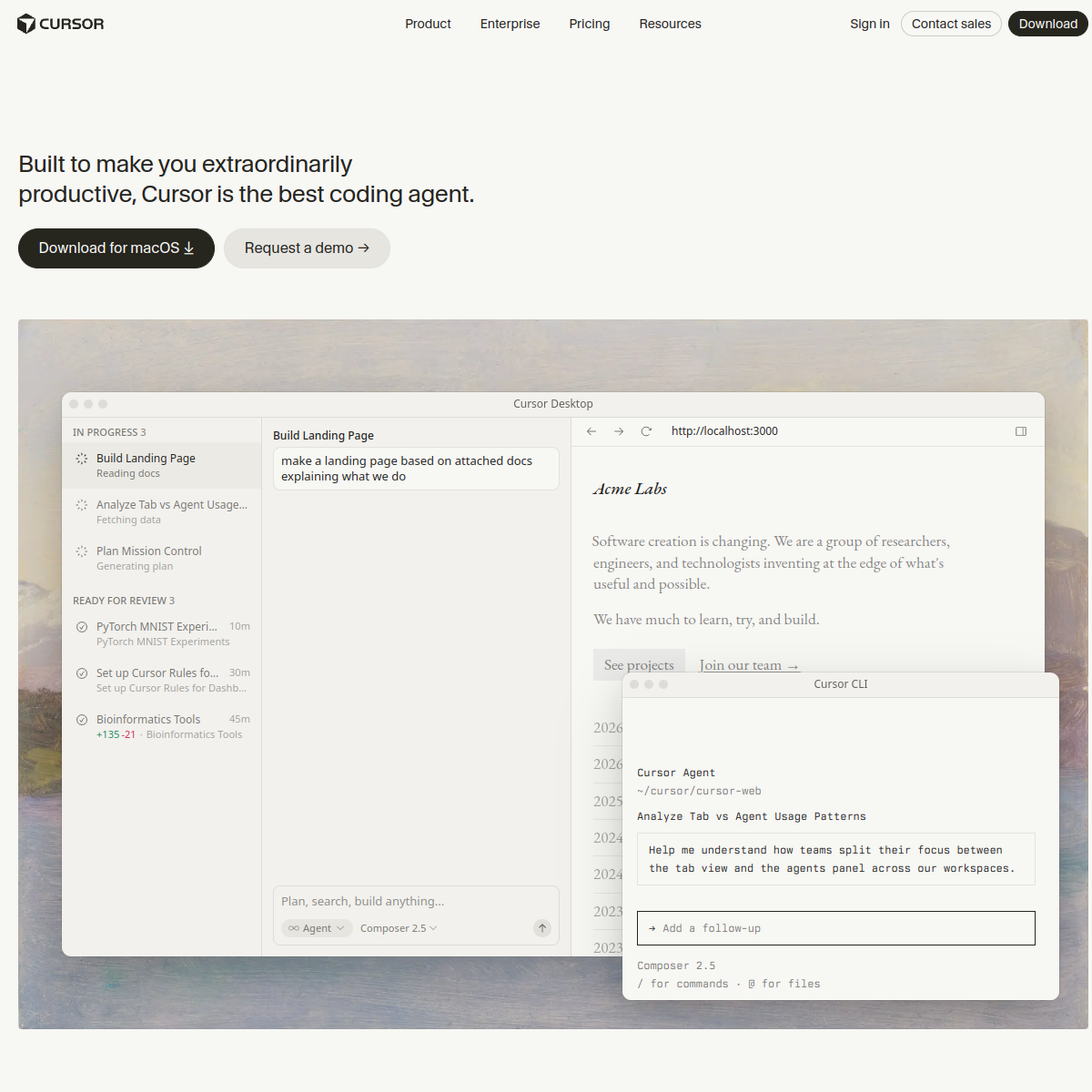
What Cursor actually looks like
Scroll inside the panel to see the full homepage. Live screenshot — updates as the product evolves.
- Professional developers
- Working in real codebases
- Speeding up, not skipping, the work
- Non-coders (try Lovable or Bolt)
- One-off throwaway prototypes
What it actually does
Whole-codebase context
Understands your entire project, so its edits and answers fit your actual code, not a generic snippet.
Agentic edits
Give it a task and it changes files across the project, runs commands, and iterates.
Uncanny autocomplete
Predicts multi-line edits and next steps with accuracy that genuinely speeds you up.
VS Code familiar
A fork of VS Code, so your extensions, keybindings, and muscle memory carry over.
Chat with your codebase
Ask questions and get answers grounded in your actual project, not generic docs.
Model choice
Switch between top frontier models to match the task at hand.
Composite of hands-on testing and editorial review — five dimensions, each rated 0–5 against the same published rubric for every tool in the category. How we score →
- Overall
- 4.5/5
- Code Quality
- 4.7/5
- Capability
- 4.7/5
- Ease of Use
- 4.3/5
- Speed
- 4.5/5
- Value
- 4.4/5
What it costs, by tier
Free tier to start; Pro is about $20/mo for higher limits and the best models. Confirm current pricing.
Free tier to get started.
Higher limits and the best models.
Frequently Asked Questions
What is Cursor best for?
Professional software development. It reads your whole codebase and edits across files, which is why so many developers switched to it.
Cursor or Lovable?
Cursor for developers who write code and want to go faster. Lovable for non-technical founders who want to describe an app and ship it.
Is Cursor free?
Yes, there's a free tier. Pro (around $20/mo) unlocks higher limits and the best models.
Is Cursor just VS Code?
It's a fork of VS Code with AI built into the core, so your extensions and shortcuts carry over while the AI is far deeper.
Ready to try Cursor?
Ship real software faster, with your whole codebase in context.
Outbound link may be tracked. See affiliate disclosure.