
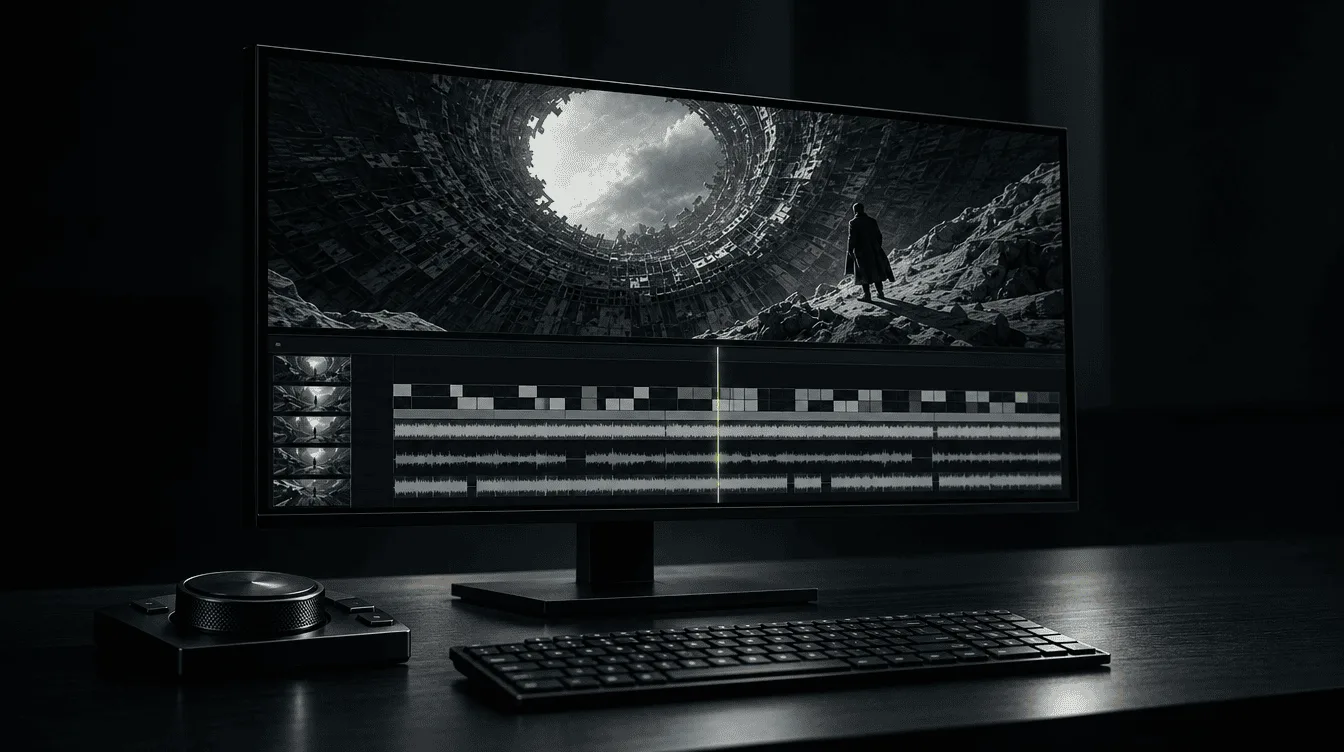
Almost every video you scroll past today has been through an AI video editor. The captions that track the speaker word by word, the dead air trimmed out of a podcast, the horizontal interview cropped to vertical, the B-roll that drops in exactly on cue, the voice dubbed into another language: most of it is now handled by AI video editing tools rather than by hand.
There are dozens of AI video editors available right now, and choosing the right one for the job can be the difference between a good edit and a great one. Almost none of them are equally good at everything.
One makes beautiful captions but struggles with a rough cut. Another can strip an hour of filler in minutes but has no idea which thirty seconds are actually worth posting.
This guide covers the best AI video editing tools in 2026: what each one is genuinely good at, where it falls short, and what it actually costs.
What Does AI Video Editing Actually Mean Here
With recent breakthroughs in AI and ultra-realistc generative video models available, the line between AI video generating and editing is getting blurred and it's important to differentiate what we mean here by the term 'AI video editing' as it could have different meaning for different people.
1. Utility, Automation & Correction
The first kind is related to routine video editing tasks.
Taking footage you already shot and cutting it, captioning it, reframing it to vertical, cleaning the audio, and repurposing one long recording into short clips.
It is the daily job for almost every creator and marketer, and it is what most people want when they search for AI video editors. And this is exactly what this guide cover.
2. VFX & Generative Editing
This is where the line between AI video editing and AI video generation blurs. Changing what is inside the frame, restyling a shot, swapping the background, altering objects or the world around the subject...
Tools like HeyGen (for UGC-style videos) and Higgsfield lead this category. This guide stays with the everyday editing kind, because that is where the real buying decision happens.
What AI Video Editors Do Well & Where They Fall Short
AI video editing tools now handle the repetitive, mechanic parts of editing in a few clicks instead of hours of manual editing.
But faster editing doesn't always mean better editing. AI can miss context, disrupt the rhythm of a conversation, crop out the wrong person, or produce captions that change what someone actually said.
What AI Video Editors Do Well
AI video editors are useful for repetitive editing tasks where you want to handle the first pass quickly and get more time to refine the footage.
Edit by typing: It transcribes your footage so you cut the video by deleting words, the fastest editing most people have ever done.
Kill the dead air: Silences, ums and false starts collapse into a clean rough cut in a single pass.
Caption in seconds: A first-draft subtitle track appears almost instantly, ready for a feed that plays on mute.
Go vertical on its own: A static horizontal shot reframes to 9:16 with the subject kept in the middle.
Rescue bad audio: Echoey, noisy rooms come back sounding close to a booth.
Find the moment: It scans an hour of tape and surfaces the thirty seconds actually worth posting.
Where AI Video Editors Still Struggle
AI editing works best when the task is clearly defined. It becomes less reliable when a decision depends on context, subtle details, or creative judgment.
Captions on hard audio: Strong accents, crosstalk and jargon trip every AI video editor, so proofread the transcript on anything that matters.
Filler cuts that go too far: Aggressive trimming clips real words and breaths, and it is worst on comedic and emotional timing.
Reframes that lose the subject: Add fast motion or a second person and the auto-crop drifts to an empty chair.
Hair, glasses and fine edges: Background removal still shreds the detail a real green screen would keep clean.
Lip-sync and cloned voices: Dubbing reads as off in close-up, and a cloned voice flattens the moment real emotion arrives.
Taste, story and pacing: No AI video editor decides what your video is actually about. That part is yours, and it stays yours.
| Rank | Tool | Best for | Entry price | Spinoza Score |
|---|---|---|---|---|
| 1 | Descript | Talking-head & podcast editing | ~$19/mo | 4.5 |
| 2 | Opus Clip | Long video into shorts | ~$15/mo | 4.5 |
| 3 | CapCut | All-round short-form editing | Free / ~$20/mo | 4.5 |
| 4 | Gling | Auto rough-cut for YouTubers | Free / $20/mo | 4.0 |
| 5 | Vizard | Clipping webinars & B2B talks | ~$20/mo | 4.0 |
| 6 | Submagic | Caption styling & short-form polish | ~$16/mo | 4.0 |
| 7 | Kapwing | Collaborative browser editing | Free / $16/mo | 4.0 |
| 8 | Filmora | A real timeline with AI on top | ~$20/mo | 4.0 |
| 9 | Captions | Mobile, face-to-camera creators | ~$10/mo | 4.0 |
| 10 | VEED | Browser subtitles & dubbing | ~$12/mo | 3.5 |
| 11 | Pictory | Scripts & blogs into video | ~$25/mo | 3.5 |
| 12 | Wisecut | Budget auto-editing | ~$10/mo | 3.5 |
Best AI Video Editors in 2026
Below are the 12 best AI video editors in. 2026: what each is best for, a quick read on the tool, the capabilities it excels at, where it falls short, the price, and its Spinoza Score.
Descript
Best for talking-head & podcast editing
Spinoza Score: 4.5
Descript turned editing into word processing: it transcribes your footage, and you cut the video by deleting text.
For anyone who talks to camera or records a podcast, nothing else is this fast to learn or this forgiving of mistakes.
Core Features
- Text-based editing. Edit the transcript, the footage follows automatically
- Overdub voice cloning to fix a flubbed line by typing it
- Studio Sound, which makes a noisy room sound close to a booth
- The Underlord assistant for filler removal, eye-contact and auto-clips
Limitations
Heavy multicam and effects bog it down, its free tier export has a ceiling, and its AI B-roll is genuinely weak.
Price: $19-24/mo; free tier limited.
Opus Clip
Best for turning long video into shorts
Spinoza Score: 4.5
Opus Clip exists to solve the single hardest job in modern video: deciding which five minutes of a ninety-minute recording deserve to be posted. It watches the footage, pulls the clip-worthy moments, reframes them vertical, and ranks each by how likely it is to travel.
Core Features
- ClipAnything moment-detection across any genre
- Natural-language search: "find every time I mention pricing"
- ReframeAnything subject tracking for a stable 9:16
- A virality score on every clip to tell you what to post first
Limitations
It repurposes brilliantly but stops short of a full editor, and its caption styling trails Submagic, so heavy users pair the two.
Price: Starter $15/mo (150 credits). limited free tier.
CapCut
Best for all-round short-form editing
Spinoza Score: 4.5
CapCut is where most short-form video actually gets made, pairing a genuinely capable timeline with a deep, mostly-free AI toolbox. It is the default AI video editor for a reason, provided you read the fine print on commercial use.
Core Features
- Auto-captions with auto-translate
- Background removal and a smart auto-edit first pass
- Text-to-speech and voice cloning
- A genuinely generous free tier with 1080p export
Limitations
A 2026 update to CapCut's sound license restricts commercial use in ways ad-makers must read, and AI actions are metered by credits, so a Pro plan still meters heavy use.
Price: free; Standard $10/mo; Pro $20/mo.
Gling
Best for auto rough-cuts for YouTubers
Spinoza Score: 4.0
Gling does one job better than anything else: it takes raw talking-head footage and hands back a clean rough cut, silences, filler and bad takes already gone. For a solo creator, it deletes the worst hour of the week.
Core Features
- Auto-removal of silences, filler words, repeats and bad takes
- SRT-export captions and speech enhancement
- Auto-framing that fakes a second camera
- Multicam handling and AI B-roll
Limitations
It handles the rough cut and hands off for finishing; you still take the result into a real editor for graphics and polish, and the free hour goes fast.
Price: free 1 hr/mo; $20 / $40 / $100 tiers.
Vizard
Best for clipping webinars & B2B talks
Spinoza Score: 4.0
Vizard is the clipper built for talk-heavy, long-form footage and marketing teams, with transcript-based editing, deep brand control, and pricing measured in upload hours. It trades a little viral instinct for a lot of value and control.
Core Features
- Transcript-based clipping built for webinars and interviews
- Deep caption control: exact brand hex codes, fonts, shadows
- Generous monthly minutes, priced on upload hours
- Per-client brand kits, scheduling and team collaboration
Limitations
Vizard loses to Opus Clip on pure viral-moment instinct and reframe quality but give you better value, control and volume.
Price: free tier; $16-20/mo.
Submagic
Best for caption styling & short-form polish
Spinoza Score: 4.0
Submagic is the finishing tool that makes a short look professionally produced, with animated word-by-word captions, emphasis zooms and auto B-roll. It handles the finishing half of a short-form workflow and expects another tool to do the front.
Core Features
- Animated, word-by-word captions at ~99% accuracy across 123 languages
- One-click Magic Zooms at natural speech beats
- Auto B-roll and sound effects
- Silence removal for a quick tidy
Limitations
It finishes clips beautifully while staying weak at finding them; it expects you or another tool to hand it the segment worth cutting.
Price: from $16/mo.
Spinoza Score: 4.0
Kapwing
Best for teams & browser editing
Spinoza Score: 4.0
Kapwing is the browser editor built for collaboration, the closest thing here to editing video in Google Docs. Several people can work the same project with a full AI toolkit and nothing to install.
Core Features
- Real-time collaboration entirely in the browser
- Auto-subtitles in 95+ languages with SRT export
- Smart Cut for silence removal and an AI clip maker
- Background remover and a script copilot
Limitations
A strong generalist that leads at no single job; its silence removal is less surgical than Gling's, and its clipping less smart than Opus.
Price: free with limits; Pro $16/mo; Business $64/mo.
Filmora
Best for a real timeline with AI on top
Spinoza Score: 4.0
Filmora is the one genuine editor in this lineup, with dual timelines, keyframing and motion tools, that also carries a heavy AI kit. It sits between the AI-first tools and a full professional suite.
Core Features
- Dual timelines, keyframing, a pen tool and multi-track audio
- Smart Cutout 2.0 rotoscoping without a green screen
- Text-based editing, voice cloning and AI translation
- An AI video extender and planar tracking
Limitations
A broad kit where each AI feature lands at good rather than best, the rotoscoping falters on fine edges, and it stays desktop-only.
Price: $20/mo, with annual and one-time options.
Captions
Best for mobile, face-to-camera creators
Spinoza Score: 4.0
Captions, whose parent company rebranded to Mirage in 2025 while the app keeps the Captions name, is built for the creator filming themselves on a phone, automating the whole face-to-camera loop from captions to dubbing to AI avatars of yourself. It is powerful on mobile and increasingly aimed at generating video as much as editing it.
Core Features
- Stylized captions in 100+ languages and dubbing into 30+
- AI Twin: a usable avatar from a single selfie
- AI Echo, which matches your tone and pacing
- A full edit-on-your-phone workflow
Limitations
Since the company's pivot to AI research, the app leans more toward generation and avatars, which leaves it thinner as a pure editor than its marketing suggests.
Price: $10-25/mo.
VEED
Best for browser subtitles & dubbing
Spinoza Score: 3.5
VEED is the browser all-rounder whose subtitle and dubbing workflow genuinely stands out, captioning in 125-plus languages and dubbing with the voice preserved. The breadth is real; the reliability is where it wobbles.
Core Features
- Auto-captions in 125+ languages
- AI dubbing and translation with preserved voice
- Magic Cut, eye-contact correction and background removal
- 60+ AI avatars and a script writer
Limitations
The feature list runs ahead of the reliability; reviewers report glitches and caption accuracy below the advertised figures, so stress-test before client work.
Price: Lite $12/mo, Pro $24/mo (annual); watermarked 720p free tier.
Pictory
Best for turning scripts & blogs into video
Spinoza Score: 3.5
Pictory is less an editor than a machine for turning words into video: paste a script or a blog URL and it returns an edited clip with matched stock footage and captions. Narrow, but genuinely useful for that one job.
Core Features
- Turns scripts, blog URLs and long recordings into stock-footage videos
- Transcribe-and-trim editing by deleting sentences
- Automatic filler-word and silence removal
- Fast: a 45-minute podcast processed in a couple of minutes
Limitations
The output leans on stock footage and looks like it; fine for faceless explainers and blog-to-video, wrong for anything that needs your own footage.
Price: $25-119/mo, metered by video minutes.
Wisecut
Best for budget auto-editing
Spinoza Score: 3.5
Wisecut is the cheapest way to get real automatic editing, silence removal, jump cuts, subtitles and ducking music, with direct publishing built in. You trade precision for price.
Core Features
- Auto silence removal and jump cuts
- Auto subtitles and ducking background music
- Face-tracking auto-reframe to vertical or square
- A built-in Social Hub for direct publishing
Limitations
You get what you pay for: less precise than Gling, less polished captions than Submagic, and the AI misjudges a pause often enough that you fix cuts by hand.
Price: Starter $10/mo, Pro $29/mo (annual).
How Much Does AI Video Editing Cost
Sticker price hides the real question, how much your AI video editing tool cost to do a specific job. One tool captions and scripts for free; another gates the same behind a credit meter.
We've compiled a list of routine AI video editing tasks marked how the most popular AI video editors handle those tasks.
| Tool | Captions | Filler/silence | Text edit | Reframe 9:16 | Bg removal | Voice/dub | Clip long→short | No-watermark export |
|---|---|---|---|---|---|---|---|---|
| Descript | Paid | Paid | Core | Paid | Partial | Paid | Paid | Paid |
| Opus Clip | Free tier | — | — | Paid | — | — | Core | Paid |
| CapCut | Free | Free | Partial | Free | Free | Paid | Free/Paid | Mostly free |
| Gling | Paid | Free 1hr | Partial | Paid | — | — | Partial | Paid |
| Vizard | Paid | — | Partial | Paid | — | — | Core | Paid |
| Submagic | Paid | Paid | — | Paid | — | — | Weak | Paid |
| Kapwing | Free | Paid | — | Paid | Paid | Business | Paid | Paid |
| Filmora | Paid | Paid | Core | Paid | Paid | Paid | Paid | Paid |
| Captions | Paid | Paid | — | Paid | Paid | Paid | Paid | Paid |
| VEED | Free* | Paid | — | Free* | Paid | Paid | Paid | Paid |
| Pictory | Paid | Paid | Partial | Paid | — | Paid | Paid | Paid |
| Wisecut | Paid | Paid | — | Paid | — | — | Core | Paid |
In the table below, "Free" means usable on the free tier (often watermarked), "Paid" means it needs the entry subscription, "Partial" means limited or basic, and a dash means it is not really offered.
"The best AI editor isn't the one with the most features. It's the one that saves you the most work."
What Each AI Video Editor Is Actually Good At
There is no single best AI video editor that fits every workflow.
An AI video editing tool built for animated captions may be a poor fit for a long-form documentary, while a transcript-based editor may be unnecessary for someone who only needs to resize clips for Instagram.
Use the recommendations below to pick the right one.
Best for Talking-head Videos & Podcasts
Descript.
Text-based editing plus voice cloning and studio-grade audio make it the fastest way to shape a talking-head edit.
Alternatives
- Gling to auto-cut the rough.
- Filmora for a real timeline.
Best for Repurposing Long Video into Shorts
Opus Clip.
Its ClipAnything model finds the moments worth clipping and scores each for virality.
Alternatives
- Vizard for value and webinars
- Submagic to finish the captions.
Best for TikTok & Reels
CapCut.
A capable timeline, deep AI, and a generous free tier.
Alternatives
- Captions for phone-first editing
- Submagic for the animated-caption look.
Best for Auto Rough-cuts on YouTube
Gling.
Raw footage in, silences and bad takes out, faster than you can by hand.
Alternatives
- Descript inside a full editor
- Wisecut for a cheaper pass.
Best for Captions & Subtitles
Submagic.
Animated, word-by-word captions at high accuracy across 123 languages.
Alternatives
- CapCut free
- VEED for the widest languages.
Best for Teams & Browser-based Editing
Kapwing.
Real-time collaboration and a full AI kit, nothing to install.
Alternatives
- VEED for subtitles and dubbing
- CapCut web for free.
Best Free AI Video Editor
CapCut.
CapCut's free tier does real AI work (mind its commercial-use license); Wisecut is the cheapest paid auto-editor; Canva covers free scripting and basic captions.
Best Real Timeline with AI
Filmora
An actual editor with dual timelines and keyframing, carrying a heavy AI kit. For pro color and VFX, DaVinci Resolve or Premiere, though those are traditional suites rather than AI-first.
The Verdict
The best AI video editor is the one that removes the most work from your specific workflow. Use CapCut for fast social content, Descript for talking-head and podcast editing, OpusClip for turning long videos into shorts, or Filmora if you want a traditional timeline with AI built in.
Before you pay, test the features you actually need and not the longest AI feature list. Check the export quality, free-plan limits, watermark, pricing, and how much manual cleanup the tool requires.
AI video editors cut the boring hours from your work, but making a video actually worth watching is still yours to do.
People Also Ask
What is the best AI video editor in 2026?
For most people, Descript is the best AI video editor primarily known for text-based editing plus voice cloning and studio-grade audio. The best overall depends on the job: Opus Clip for shorts, CapCut for all-round short-form, Gling for auto rough-cuts.
What is the best free AI video editor?
CapCut. And it's not even close. CapCut packs AI-powered editing, auto-captions, background removal, and social-ready templates into one accessible editor. For creators who want polished videos without paying for a subscription, it's the first tool to try. just check which features are free in your region and if they are available for free commercial usage or not.
What is the best AI tool for turning long videos into shorts?
Opus Clip, for its ClipAnything moment-detection and virality score. Vizard is the value alternative for webinars, and many pair either with Submagic to finish the captions.
Can AI change the background or content inside a video?
Yes, but that is generative in-video editing, a different category led by tools like Higgsfield. The AI video editors ranked here focus on cutting, captioning and repurposing footage you already shot.
Do AI video editors replace human editors?
No. They automate the rough cut and captions; pacing, story and taste are still yours.
Where to go next
Editing is half the workflow. For the tools that create the footage, read our hands-on tests of the best AI video generators. For creator-style ads, see the best AI UGC ad tools and our guide to making UGC videos with AI.
Over to you. Which pairing are you running in 2026, and which tool finally earned its subscription, or quietly lost it?
 Publishing Frequency
How Much Video Content Should Your Brand Publish?
AI lets a brand publish something new every day. That is exactly the trap. The constraint that protects your marketing now is editorial judgment.
Olivia Vance6 min AI Video Editing
The AI Video Skills Every Marketing Team Needs
AI can generate the aesthetic stills and videos. It cannot tell you whether the footages are any good. These are the skills that decide which marketing teams pull ahead.
Olivia Vance5 min AI in Marketing
How AI Is Changing the Cost of Video Marketing
AI does not make video production free. It moves where the time and money go. Here is how the economics actually shift, and where to reinvest what you save.
Olivia Vance4 min