Notion AI
AI built into the docs-and-databases tool you already use.
The Spinoza Score
Reviewed by Kamran Arshad. See how we evaluate · Updated 2026-07-12.
- Category
- work management
- Starts at
- $10/mo
- Platforms
- —
- Launched
- Feb 2023
- Last reviewed
- 2026-07-12
Convenient if you live in Notion. Skippable otherwise.
Notion AI is the rare 'AI feature in existing tool' that's genuinely useful. If your team lives in Notion, the in-doc AI commands and workspace Q&A justify the $10/user/mo addon. If you don't, there's nothing pulling you in.
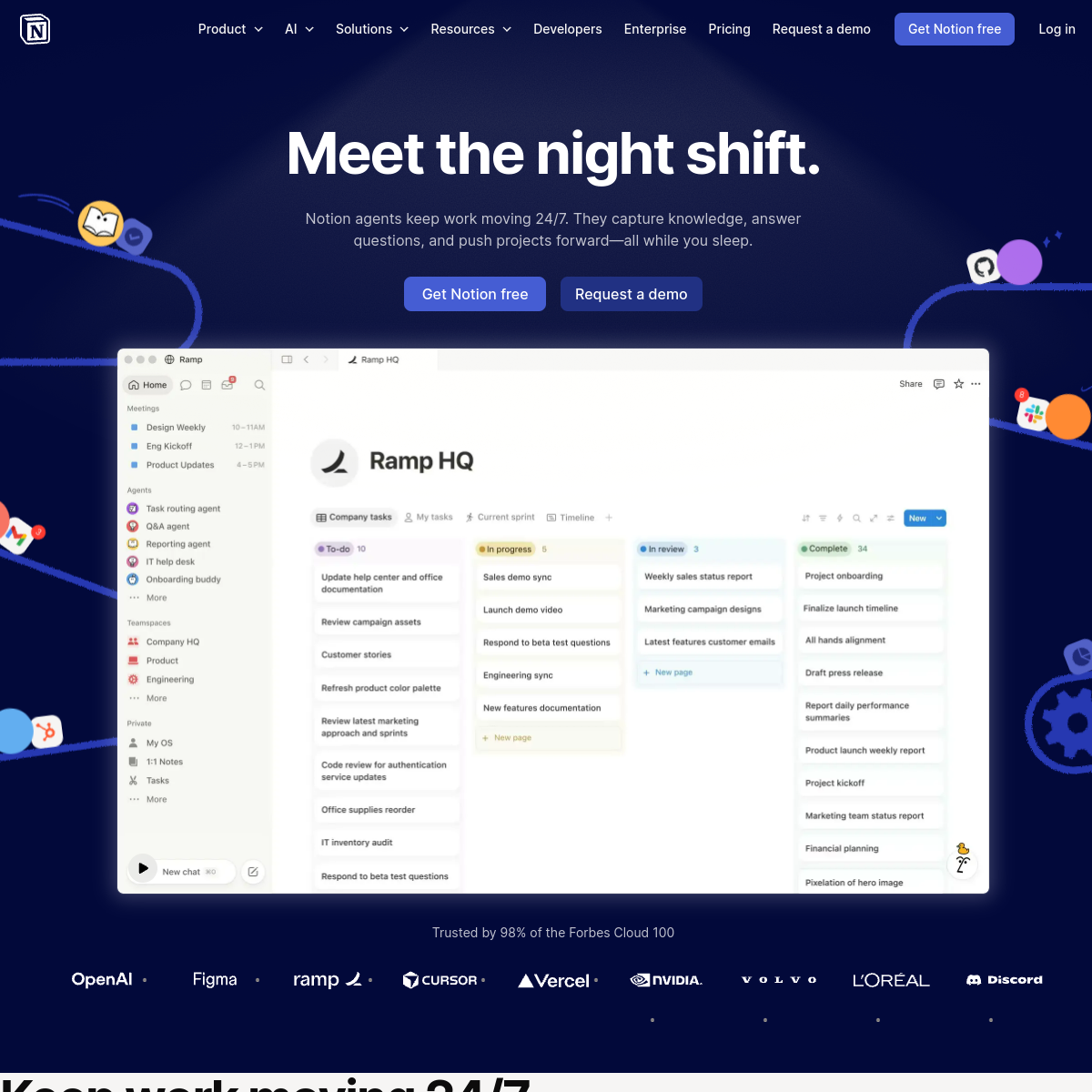
What Notion AI actually looks like
Scroll inside the panel to see the full homepage. Live screenshot — updates as the product evolves.
- Existing Notion teams
- Doc-heavy workflows
- Non-Notion users
- General-purpose AI assistance (use Claude/ChatGPT)
What's new from Notion AI
- Mar 2026
AI Autofill v2
Smarter context-aware database field generation.
- Dec 2025
Q&A general availability
Workspace-wide natural-language Q&A out of beta.
What it actually does
In-doc AI
Highlight any text, run AI commands — summarize, translate, rewrite, brainstorm, fix grammar.
Ask AI
Ask questions about your entire workspace. AI answers based on your docs, databases, projects.
AI Autofill
Auto-populate database fields using AI based on other field values.
Custom AI blocks
Embed AI prompts as blocks within docs. Refresh outputs on demand.
Q&A
Search across workspaces with natural-language questions. Returns answers, not just links.
AI across your workspace
Ask, write, and summarize using the context of your own docs and databases.
Composite of hands-on testing and editorial review — five dimensions, each rated 0–5 against the same published rubric for every tool in the category. How we score →
- Overall
- 4.3/5
- Power & Flexibility
- 4.6/5
- AI Assist
- 4.3/5
- Ease of Use
- 4.2/5
- Collaboration
- 4.5/5
- Value
- 4.4/5
What it costs, by tier
Solo users.
- All Notion features
- Unlimited AI prompts
- 20 GB upload limit
Small teams.
- Everything in Free
- Per-user permissions
- Unlimited blocks
Companies.
- SSO
- Private team spaces
- Advanced permissions
Common questions about Notion AI
What is Notion AI best for?
Individuals and teams who want one flexible workspace for docs, wikis, and projects, with AI that understands their own content.
Notion or ClickUp?
Notion is more flexible for docs and knowledge; ClickUp is more structured for project management. Pick by where your work lives.
Is Notion AI free?
Notion has a free plan; the AI features are a paid add-on or included on higher tiers. Confirm current pricing.
Does Notion AI use my own content?
Yes, it can answer, write, and summarize grounded in your workspace's docs and databases.
Ready to try Notion AI?
Starts at $10/mo. Worth a trial.
Outbound link may be tracked. See affiliate disclosure.