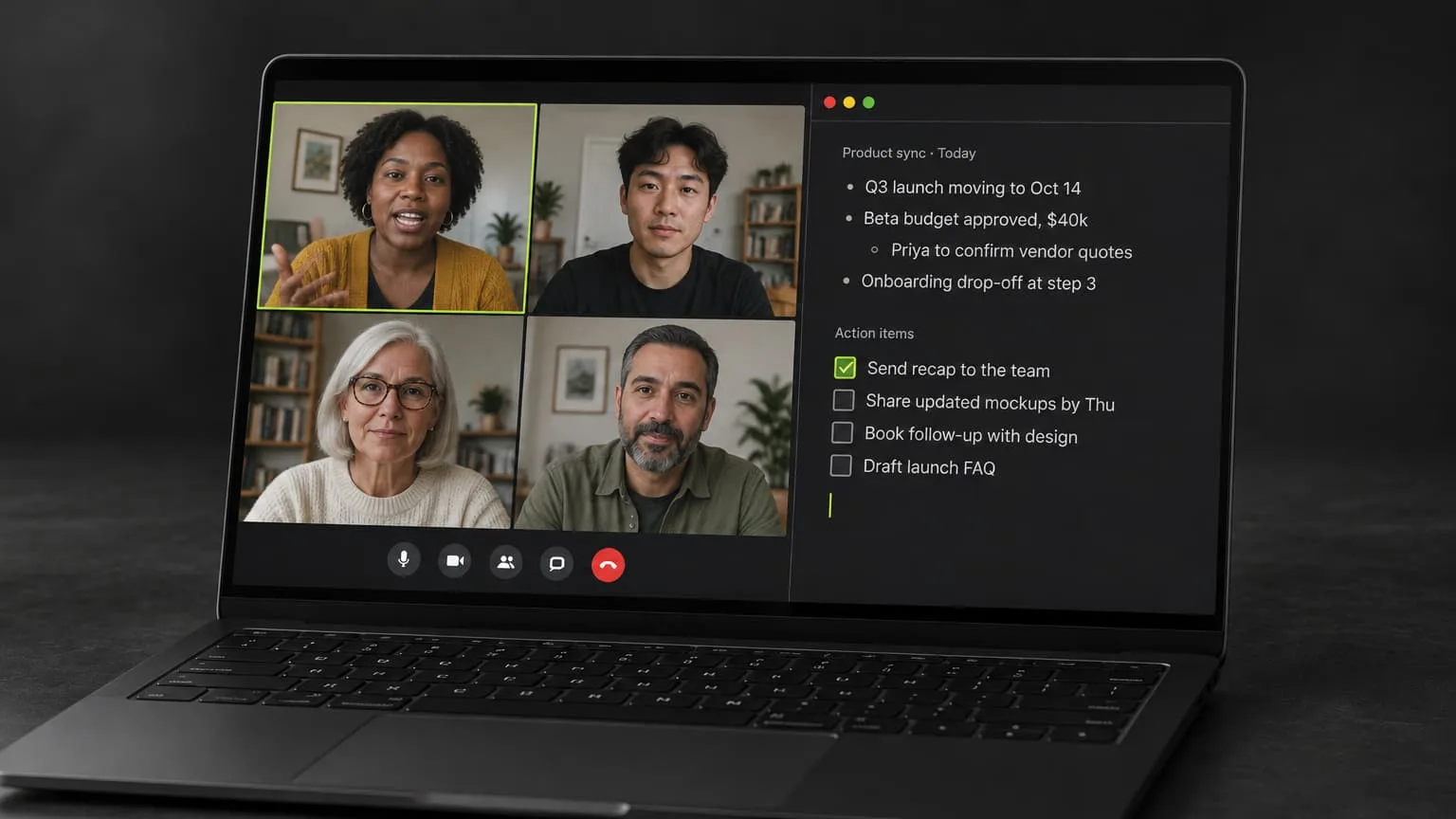

Fathom is the best free AI note taker for most people. It records supported calls, saves the transcript and video, and keeps giving you a standard recap after your five monthly advanced summaries run out. If you take calls every week and sometimes need to check what was actually said, it's the free plan we'd start with.
Pick Granola if you want bot-free notes built around the points you jot down yourself and need a context-layer to ask anything anytime. It becomes our top pick if you want unlimited voice typing for free.
Pick Otter if you want a live transcript while people talk and your calls fit inside 30 minutes. Try Circleback if you need action items or want to build a workflow on top of your meeting notes.
The first limit you hit depends on your calendar. A 45-minute interview breaks Otter's per-call cap while you still have most of your monthly minutes left. A client decision from six weeks ago falls outside Granola's free history even if you captured every meeting.
Here's what each plan lets you keep doing after its first limit.
Free AI Note Taker Limits Compared
Every free AI note taker handles usage limits differently, ranging from generous monthly minute caps to rolling history windows and AI summary allowances. Here is a clear breakdown of what you get for free and the exact limit to keep in mind as you scale.
| Rank | Tool | What you get free | First limit to watch | Resets or expires |
|---|---|---|---|---|
| 1 | Fathom | Recordings, transcripts, clips and standard recaps | 5 advanced summaries | Monthly. Standard recaps continue. |
| 2 | Granola | Bot-free notes, meeting chat and voice typing | 30 days of visible notes. No audio or video to replay. | Rolling 30-day history |
| 3 | Otter | Live transcripts, speaker labels and audio replay | 30 minutes per conversation, 300 minutes a month | Per call, and monthly for the 300 minutes |
| 4 | Circleback | Notes, action items, limited automations and API access | 30 days of meeting and recording history | Rolling 30-day history |
| 5 | Fireflies | Searchable transcripts, limited summaries and 20 AI credits | Unlimited transcription needs auto-join on. 400 minutes of storage. | Storage is a cap on what you keep |
| 6 | Wispr Flow | Bot-free meeting notes and voice dictation | Separate weekly caps on dictation and recordings | Weekly caps. 30 days of history on desktop. |
| 7 | tl;dv | Video recordings, transcripts and clips | Full AI notes on your first 10 meetings only | One-time AI allowance. Recordings kept up to 3 months. |
| 8 | Jamie | Bot-free notes and Ask Jamie | 10 notes a month, up to 30 minutes each | Monthly, and per call for the 30 minutes |
| 9 | Read AI | Meeting reports, transcripts and search | 5 reports a month, up to an hour each | Monthly, and per call for the hour |
| 10 | Zoom AI Companion | Hosted Zoom summaries and My Notes | 3 hosted summaries and 3 My Notes uses on Basic | Two separate monthly allowances |
How We Compared the AI Notetaker Free Plans
We used all 10 tools on real meetings, then checked every free-plan limit against the company's own pricing page and help center in November 2026. Testing tells you how a tool works. The plan rules tell you whether you can keep using it that way once a trial of advanced summaries or playback ends. Read more about how we test.
The ranking favors plans you can rely on every week. We looked at four things: how much you can capture, what you get after the call, what you can replay, and how long you can get back to it. A monthly allowance, a one-time allowance, a rolling history window and a per-call cap are different kinds of limit, so the table above names which one applies.
Which Free AI Note Taker Fits Your Meeting Schedule?
The best free AI notetaker varies for almost everyone and heavily depends on your meeting schedule. See this table and pick one that best fits your meeting schedule.
| Your schedule | Start with | Why |
|---|---|---|
| Five 45-minute calls a week | Fathom for replay, Granola for written notes | Otter and Jamie cap each free call at 30 minutes. Fathom keeps giving standard recaps after the 5 advanced ones. |
| Two 25-minute interviews a week | Otter for live text and audio, Fathom for video clips | Eight interviews use 200 of Otter's 300 monthly minutes, if Otter only records those interviews. |
| One 60-minute team call a week | Read AI for searchable recaps, Fathom for recordings | Four or five calls fit inside Read AI's 5 reports, but at exactly 60 minutes there's no room for overruns. |
| Ten 45-minute meetings you want searchable | Fathom | Ten calls add up to 450 minutes, more than the 400 minutes of storage Fireflies gives free users. |
| Client calls you'll revisit next quarter | Fathom | Granola and Circleback show free users 30 days. tl;dv keeps free recordings for up to three months. |
| Two or three hosted Zoom calls a month | Zoom AI Companion | Basic covers three hosted meeting summaries a month, so try what's built in before adding an app. |
Fathom: Best Free AI Note Taker for Most People
Start with Fathom if you need a recap, a recording you can replay and a clip you can send a teammate. Its free plan holds up on a regular meeting schedule because the recording and a standard recap stay available after the advanced summaries run out.
What you get free
- Unlimited recordings, transcripts and storage for Zoom, Google Meet and Microsoft Teams calls, with no cutoff on how far back you can search.
- Audio and video playback, unlimited clips and downloads, and transcripts in 38 languages.
- Advanced summaries on your first five calls each month, then the standard summary.
What runs out first
- Advanced summaries. From your sixth call in a month you get the standard recap, and the recording and transcript are still there to check details.
- AI follow-up. Ask Fathom, AI action items and follow-up email drafts only work for the last two weeks of call.
Before you pick it: bot-free recording is a Mac beta, so on Windows the notetaker joins as a visible participant. Fathom only captures the main room, not Zoom breakout rooms. It also records in-person meetings on iPhone.
When to pay: Premium, at $16 a month billed yearly or $20 monthly, makes sense if you keep turning standard recaps into action items or follow-up emails by hand. Check Fathom's plan limits.
Granola: Best Free Note Taker for Bot-Free Notes You Shape
Pick Granola if you already jot down decisions, objections or questions during a call. It uses those points to shape the recap, which matters when your own read of the meeting is part of the work.
What you get free
- Unlimited bot-free meetings, with notes built from what you type plus the transcript.
- Chat within and across your meetings, templates, Recipes and shared folders.
- Free, unlimited voice typing in any app on Mac, Windows and iPhone, and meeting capture on iPhone, Android and Apple Watch for conversations away from your desk.
- Granola's MCP, so Claude, ChatGPT or Cursor can read your recent notes.
What runs out first
- You can only see the last 30 days of notes in the app. Older notes are stored and come back when you upgrade, but a meeting from today can drop out of view before next quarter's review. It beats Fathom and would be our top pick if you don't need meeting replays.
Before you pick it: Granola keeps notes and a transcript, not audio or video. If you need to hear the tone of an answer or share a clip, pick another one.
When to pay: Business costs $14 per user a month and makes sense if you regularly need older notes or want integrations like Notion, HubSpot or Attio. See Granola's pricing, and how its voice typing compares in Granola vs Wispr Flow.
Otter: Best Free Note Taker for Live Transcripts
Use Otter if you want to follow the transcript as people speak and replay a passage afterward. It suits short interviews, one-on-ones and calls where exact wording matters.
What you get free
- Live transcription with speaker names and audio playback.
- 300 transcription minutes a month, 20 AI Chat questions and Otter's MCP server.
- A calendar bot, a bot-free desktop app for Mac and Windows, and a phone app for in-person meetings.
What runs out first
- 30 minutes per conversation. A 45-minute interview goes past the cap even when most of your monthly minutes are untouched.
- Your 25 most recent conversations. Older ones drop out of view on the free plan.
- Three lifetime file imports. A backlog of recorded interviews can use them in one sitting.
Before you pick it: Otter transcribes 17 languages and you choose the language before recording. If your calls switch languages, try one real meeting first.
When to pay: Pro, at $8.33 a month billed yearly or $16.99 monthly, makes sense if your calls regularly run past 30 minutes. It allows 90-minute conversations and 1,200 minutes a month.
Circleback: Best Free Plan for Action Items and Developer Access
Circleback is good if you want to do something with your notes after the meeting. You get action items plus enough access to build a workflow on its API, MCP or CLI before paying to roll it out.
What you get free
- Unlimited meetings with AI notes, action items, speaker-labeled transcripts and Ask Circleback.
- Recording with a bot or without one, plus iPhone, Android and Apple Watch apps for in-person meetings.
- The API, MCP and CLI, and limited automations.
What runs out first
- 30 days of meeting and recording history.
- Automations that run after every meeting across the full set of integrations need Pro.
When to pay: Pro, at $15 per user a month billed yearly or $18 monthly, makes sense once you need a longer archive or know which automation saves you time. For a CRM workflow, run one call through it and check that the right record and field update before you buy seats. See Circleback's pricing.
Fireflies: Best for Searchable Transcripts With Auto-Join
Pick Fireflies if you want a bot to join your calendar calls and searchable transcripts matter more than keeping a big archive. Check which events it will join before connecting a busy calendar.
What you get free
- Transcripts of Zoom, Google Meet and Microsoft Teams calls with meeting search, in more than 100 languages.
- Unlimited transcription while auto-join is on, recordings up to two hours, limited AI summaries and 20 AI credits.
- Bot-free options: the Chrome extension for Google Meet and the desktop app.
What runs out first
- 400 minutes of storage. Transcription can be unlimited while storage still fills up.
- Auto-join off. For accounts created since September 1, 2026, turning auto-join off limits you to three transcriptions.
- Summaries and credits. Transcripts and AI summaries have separate allowances, and features like Live Assist spend credits.
Before you pick it: bot-free desktop recordings label speakers as Speaker 1 and Speaker 2, and video recording starts on Pro.
When to pay: Pro, at $10 per seat a month billed yearly or $18 monthly, makes sense if you keep hitting the summary or storage limit. Read Fireflies' free-plan rules.
Wispr Flow: Best Free App for Meeting Notes and Dictation
Pick Wispr Flow if you write by voice every day and want meeting notes in the same app. You can capture a call without a bot, read the recap, then dictate your reply straight into email, Slack or a doc.
What you get free
- Bot-free meeting capture with transcripts and summaries on supported Mac and Windows setups, plus in-person capture on iPhone.
- Dictation in every app on Mac, Windows, iPhone and Android, with a personal dictionary and snippets.
What runs out first
- Dictated words have a weekly limit (5,000 words), and mobile has its own smaller pool, around 2,000 words.
- Free accounts have a default cap of 50 recordings a week, and only recordings of at least five minutes count.
- Desktop shows 30 days of meeting notes and history.
Before you pick it: the notes you type during a call stay separate from the AI recap. If you want your notes to shape the recap, Granola is built around that. Wispr keeps meeting audio but you can't replay it.
When to pay: Pro, at $15 a month or $144 a year, adds unlimited dictation and more Notetaker meetings kept longer. Check the Notetaker recording limits.
We covered the wider fight between the two apps in Wispr Flow took a swing at Granola.
tl;dv: Best Free Option for Clips From Long Calls
Try tl;dv if you need to share a moment from a long demo, workshop or customer interview. Start with Fathom instead if you also want a recap on every call and an archive that doesn't expire.
What you get free
- Unlimited video recordings and transcripts, in more than 100 languages.
- Recordings up to three hours each, from a bot or the bot-free desktop app.
What runs out first
- Full AI notes on your first 10 meetings. That allowance never resets. After it, notes cover only the first 10 minutes of each meeting, and prompts, reports, clips and uploads have small lifetime caps too.
- Free recordings are kept for up to three months, and they're archived after three days, so you unarchive a video before you can watch it. Transcripts and notes stay available.
When to pay: Pro makes sense if you need full AI notes on every meeting after the first 10. Check tl;dv's free-plan limits.
Jamie: Best for Occasional Bot-Free Client Calls
Pick Jamie if you take a handful of short calls a month and want written notes without inviting a bot or keeping a recording archive.
What you get free
- 10 sets of AI notes a month, plus Ask Jamie chat.
- Bot-free capture on desktop and iPhone, for meetings up to 30 minutes.
- Exports to Google Docs, Notion and OneNote.
What runs out first
- 30 minutes per meeting. Check this first if your calls run long.
- 10 notes a month. Two short calls a week fit. A daily stand-up won't.
Before you pick it: Jamie deletes the audio after transcription. Pick a recorder if you need to listen back to verify a quote.
When to pay: Plus raises you to 20 notes a month and two-hour meetings, and Pro removes the notes cap. See Jamie's pricing.
Read AI: Best for Occasional Meetings With Context in Email and Chat
Pick Read AI if the answer to a client question could be in a meeting, an email or a chat thread. The free plan gives you enough calls to see whether its cross-app search saves time.
What you get free
- Five meeting reports and transcripts a month.
- Search, Topic Readouts and basic integrations, with a desktop app that records without a bot.
What runs out first
- Five reports a month, one hour per meeting. A weekly team call fits. A daily meeting won't.
- Playback. Audio and video replay start on Enterprise.
When to pay: Pro adds unlimited reports and meetings up to four hours. If playback is the reason to upgrade, compare a dedicated recorder first. Check Read AI's plan limits.
Zoom AI Companion: Best for a Few Hosted Zoom Calls a Month
Use Zoom's built-in allowance if you host a few Zoom meetings a month and mostly need a recap. It's less setup than adding another tool to calls you already host.
What you get free
- Summaries for up to three hosted Zoom meetings a month on the free Basic plan, with no bot.
- A separate allowance of three My Notes uses a month, which also works on supported third-party meeting platforms.
What runs out first
- Three uses of whichever feature you rely on. Hosted meeting summaries and personal My Notes are counted separately, so check which one you're using before you count calls.
When to pay: a paid Zoom plan makes sense if most of your calls are on Zoom and you keep going over. If you need replay, clips or CRM follow-up, compare a dedicated note taker. See Zoom's My Notes plans.
What About Google Meet and Krisp?
Google Meet's ''Take notes for me'' needs an eligible Google Workspace edition or Google AI plan, so it isn't on free Google accounts. If your company already pays for one, try the built-in notes before buying anything. It supports eight languages, one per meeting. See Google's eligibility list.
Krisp has no free note-taking plan, only a seven-day trial of its note taker and noise cancellation. It's worth a trial if background noise is the problem you'd pay to solve. See Krisp's plans.
Free AI Note Takers for Bot-Free and In-Person Meetings
- No bot on the call
Granola, Wispr Flow and Jamie are bot-free by design. Fathom (Mac), Fireflies, Circleback, Otter, tl;dv and Read AI use a bot by default but have desktop apps that record without one. - In-person meetings
Granola, Otter, Fireflies and Circleback have free iPhone and Android apps. Fathom, Wispr Flow and Jamie record in person on iPhone, and Granola and Circleback also run on Apple Watch.
Bot-free tools record from your own device, so nobody on the call sees a participant join. Recording laws differ by state and country, so tell people at the start of the call that an AI note taker is running.
When Is a Paid AI Note Taker Worth It?
Pay when a free limit creates work you keep doing by hand. If you're rewriting follow-up emails after Fathom's fifth advanced summary, test whether Premium saves that time. If you keep needing decisions from two months ago, paying for longer history solves a clear problem. If you're buying for a sales team, run one call through the CRM integration and check the record before you buy seats.
If you're comparing paid plans or need team-wide search, recording controls or CRM field sync, see our guide to the best AI note takers for meetings. Hiring teams should also read our picks for the best AI note taker for recruiters.
People Also Ask
What is the best free AI note taker?
Fathom, for most people. It records, transcribes and summarizes unlimited Zoom, Google Meet and Microsoft Teams calls, keeps audio and video, and has no history cutoff. Granola is the best free pick if you want bot-free notes shaped by what you type and don't need live replays of meetings as it doesn't record your meetings.
Does Fathom still summarize meetings after the fifth call?
Yes. Fathom's free plan gives you advanced summaries on five calls a month, then keeps giving you the standard recap. The recordings and transcripts stay available to check details.
Is there a completely free AI note taker with no limits?
No. Every free plan has a limit somewhere. Fathom has no monthly minute cap but limits advanced summaries, Granola gives unlimited meetings with 30 days of visible notes, and Fireflies needs auto-join on for unlimited transcription.
Which free AI note taker works without a bot?
Start with Granola if you want the AI to build on your typed notes. Try Wispr Flow if you also want to dictate into other apps, or Jamie if your calls are short and a written recap is enough.
Which free AI note takers let you replay a meeting?
Fathom and tl;dv keep video on their free plans, and Otter keeps audio. tl;dv keeps free recordings for up to three months, so check retention if you'll need a recording later.
Is Granola free?
Yes. Granola's Basic plan is free with unlimited meetings and unlimited voice typing, but you can only see the last 30 days of notes. Business, at $14 per user a month, unlocks your full history.
Is Otter free?
Yes. Otter's Basic plan gives you 300 transcription minutes a month and 20 AI Chat questions. Each conversation stops at 30 minutes and you only see your 25 most recent conversations.
Is Fireflies free with auto-join off?
Only for a few meetings. Fireflies' free plan transcribes unlimited meetings when auto-join is on, but accounts created since September 1, 2026 get three transcriptions with auto-join off.
Does Zoom have a free AI note taker?
Yes. Zoom's free Basic plan includes summaries for three hosted meetings a month, plus a separate three My Notes uses a month that also work on supported third-party platforms.